
Local coding agent · Windows, macOS and Linux

Make the next move clear.

Mason Agent is a coding workspace that runs on your own local models. Add a project, decide what the agent may do, and review every change before you keep it. A native app on Windows, macOS and Linux, and mason in your terminal.

Free and open source. Other formats, requirements and install steps

The Mason Agent bear in work overalls opening a workshop door and waving you in
A Mason Agent coding session on Windows: the agent's explanation of a CSV parsing fix, 3 of 3 checks passed, a suggested note to remember, and Moments beside it showing the run's test, new file and change

One request, start to finish

You ask in plain words. Mason does the work in steps you can follow, and nothing is kept until you have seen it.

  1. You ask

    Describe a change, or ask about the project.

  2. It reads

    Mason opens and searches the files it needs.

  3. It edits

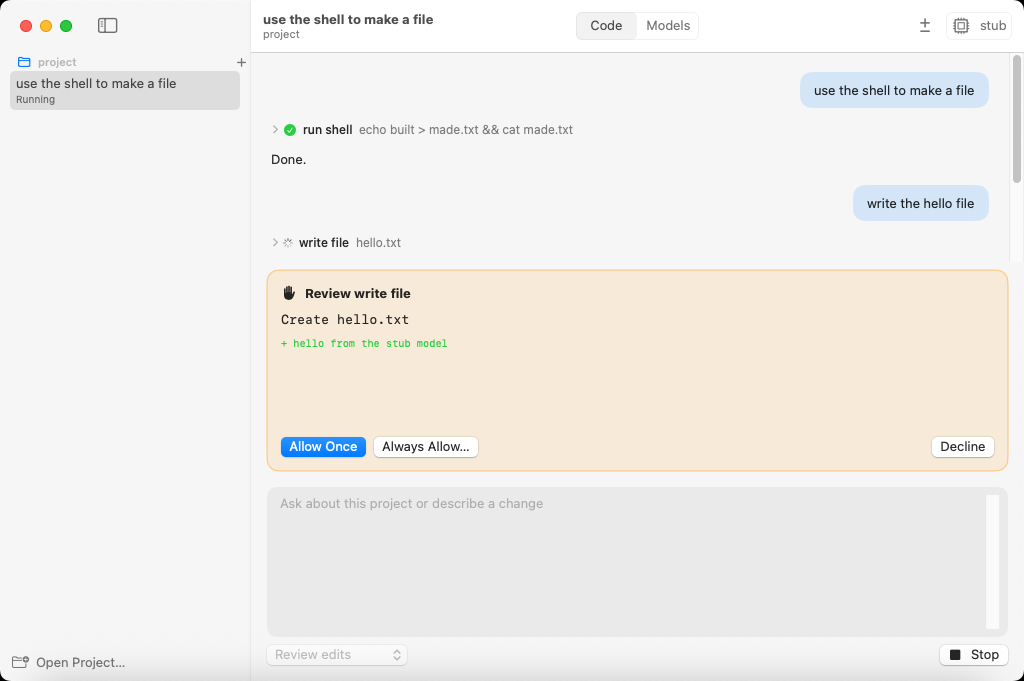
    Each edit waits for your approval unless you allowed it.

  4. It checks

    It runs your tests and fixes what they catch.

  5. You review

    Keep the diffs, or undo the whole request.

Your code stays on your computer

Mason Agent works with models running on your own machine. There is no account, no cloud and no telemetry.

Review every change, undo any request

Every edit shows as a diff against the original file. Undo puts back everything a request changed, including files its commands created or deleted, and leaves alone anything you edited since.

Review changes: a diff of the importer switching to csv.reader, beside the finished turn with 3 of 3 checks passed

Runs on your own models

Quick setup checks your memory, installs llama.cpp and downloads a coding model that fits. The library shows what each model on your computer can do for the agent and whether it fits before you start it. A local OpenAI-compatible server works too.

The Models library: GPU memory, a Quick setup button, and local models with what each can do for the coding agent

Chat beside your code

Talk a problem through with the running model, apart from your coding sessions. Attach documents and pictures, and keep the conversations on your computer.

Chat: a new conversation with suggested prompts and the Reference panel
  • You set the permissions

    Sessions start read-only. Approve each edit and command, or use Auto, which runs commands in your system's sandbox, limited to the project and with no network.

  • Mistakes caught as it works

    Language servers check each edit and your project's tests run before a request finishes, so the model fixes errors before you see them.

  • Your agents, commands and MCP servers

    Write agents and slash commands as Markdown files. Mason also reads the ones you keep for Claude Code and OpenCode, and calls the MCP tools you switch on.

  • Notes it remembers

    Keep short facts about the project in the Notes tray under the request box. Mason reads every one with each request, and can suggest one for you to keep.

Everything Mason Agent can do

The same agent in your terminal

Run mason in a project folder. It needs no setup flags: it uses a model that is already running, restarts the one you used last, or helps you download one.

Approvals take one key. /diff and /undo review and reverse changes, /models finds and downloads models, and /permission sets what Mason may do without asking.

A native app on each system

The Windows, macOS and Linux apps do the same things, and each one looks and behaves like it belongs on its system.

Five themes, light and dark

Pick one in the app or with mason theme. The app follows your system's light or dark mode unless you choose.

The coding session in the Blueprint theme
Blueprint, the default. The picture follows your light or dark setting.

Download Mason Agent

Free and open source. Choose your system.

  1. Install the app for your system.
  2. Run Quick setup under Models. It downloads a coding model that fits your computer.
  3. Add a project folder and ask for a change.

Windows Version 1.7.2 · x64

Installer or portable

The installer sets Mason Agent up for your Windows account, with no administrator rights needed, and follows Windows light or dark mode. The portable ZIP runs from any folder: extract it and start MasonAgent.exe.

Requirements

  • Windows 11, x64. The portable ZIP also runs on Windows 10 version 2004 or later.
  • A local model. Quick setup under Models installs llama.cpp and downloads a coding model that fits your GPU.
  • A GPU is recommended. Mason Agent shows whether each model fits before you start it.
  • Optional: Git for Windows, to use Git Bash as a shell for commands.

The mason command: tick Add the mason command to PATH in the installer, then run mason in any project folder. With the portable ZIP, add its bin folder to your PATH.

Windows SmartScreen: releases are not code-signed yet, so Windows may warn the first time you run them. Choose More info → Run anyway.

macOS Version 2.2.1 · Apple silicon and Intel

Installer or app only

The installer puts Mason Agent in Applications and the mason command in /usr/local/bin, so it works in every terminal. With the ZIP, drag the app into Applications yourself and choose Agent → Install Command Line Tool… in the menu bar.

Requirements

  • macOS 14 or later, on Apple silicon or Intel.
  • A local model. Models → Suggest for this Mac installs llama.cpp and downloads a coding model that fits your memory, or use GGUF weights or a local server you already have.

First launch: the app is not notarized by Apple, so macOS blocks it the first time. Open System Settings → Privacy & Security and choose Open Anyway. On macOS 14 you can also right-click the file and choose Open.

Linux Version 2.2.1 · x64

Install

The package installs the app and mason for everyone on the computer:

sudo apt install ./mason-agent-linux-amd64.deb

The archive installs for your user under ~/.local, with no administrator rights, and tells you if ~/.local/bin is not on your PATH:

tar -xzf mason-agent-linux-amd64.tar.gz
cd mason-agent-*-linux-amd64 && ./install.sh

Requirements

  • x64. The .deb is built on Ubuntu 24.04 and needs that or a newer Debian or Ubuntu.
  • For the archive: GTK 4, gtkmm 4.10 or later, libadwaita 1.4 or later and libcurl from your distribution. The installer lists any that are missing.
  • bubblewrap for Auto. Without it Mason still works, and Auto refuses to run commands instead of running them unprotected.
  • A local model. mason and the Models page install llama.cpp and download one that fits.

Other distributions: Mason Agent is built and tested on Ubuntu 24.04 and has not been tried on other distributions yet.

SHA-256 checksums are attached to each release if you want to verify a download.

All releases · Build from source